Devin Adds Security Findings CSV
Security Findings can now be exported to CSV in Devin’s November 16, 2026 release notes, and Security > Configure has been renamed Customize. That makes this release more than sidebar polish: it gives security work a clearer export path and moves security-profile behavior into the place where admins already edit how Devin scans.
| Question | Answer |
|---|---|
| Who must act | Admins who manage security profiles should review Security > Customize. |
| What changes for them | Security Findings can be exported to CSV, and Configure is now Customize. |
| Who can skip | Users who do not use Security Findings or security-profile plugins can skip the security changes. |
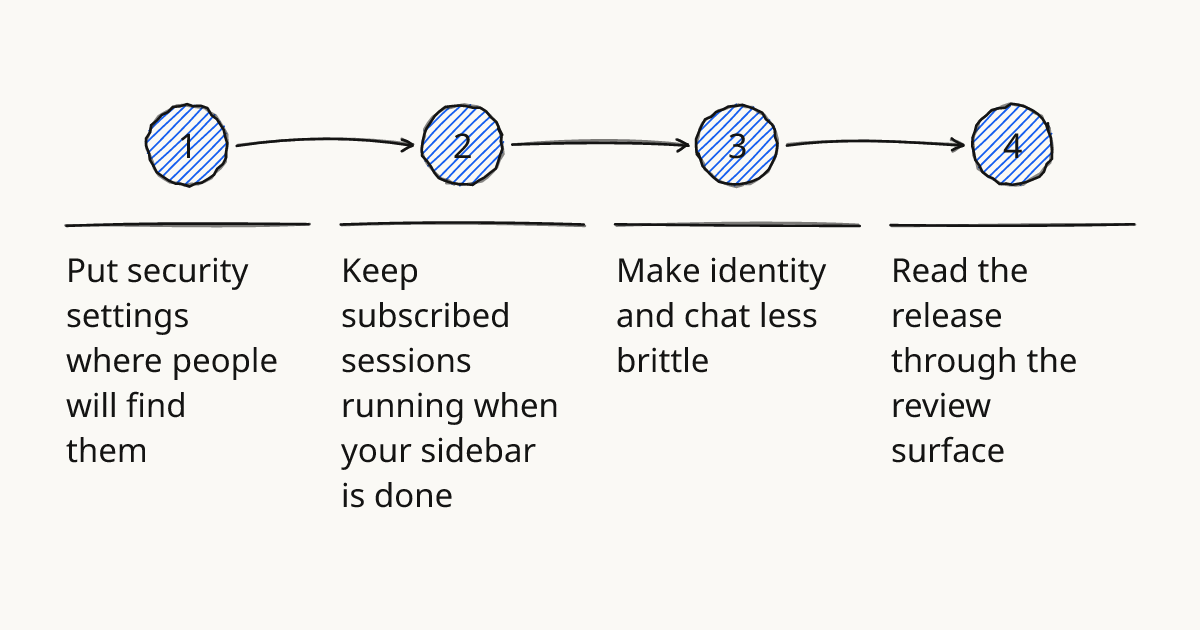
Put security settings where people will find them
The security change has two parts. First, the Security Findings table can be exported to CSV, which gives a plain way to move findings into another review or reporting flow.
Second, Security > Configure is now called Customize. That page now covers security-profile plugins, scan paths, include and exclude globs, and the repositories a threat-model rule applies to.
The limit matters. The release note says Devin exports the table to CSV. It does not say the CSV becomes a bidirectional control plane, so edits should still happen in Devin’s security settings.
Rolling this out in your team?
We train engineering teams on their own codebase in two days. Devin setup, shared rules and review included.
Keep subscribed sessions running when your sidebar is done
The workspace change is small but important for Devin sessions with more than one subscriber. The sidebar now shows sessions you are subscribed to, and Mark done replaces Archive.
Mark done moves a session to your Done folder while the session keeps running. It also stays in the sidebars of its other subscribers.
That is a better fit for shared work. Clearing your own sidebar should not stop work that another person still depends on.
Make identity and chat less brittle
Devin now keeps a phonebook of each member’s linked identities across Devin, Slack, Microsoft Teams, git providers, Jira, Linear, and Pylon. A mention in Devin can tag the person in Devin and Slack at the same time.
The composer also gets a Slack channel picker. Type # in any cloud session composer to pick a Slack channel.
There are smaller fixes around chat history and search. Session event search now matches each word separately, so word order matters less, and tagging Devin in an old Slack thread starts a new session when the old one is too old to resume.
Read the release through the review surface
For working code, this release sits mostly in Review in our methodology. The question is less about how to prompt Devin and more about how to inspect, route, and close the work Devin has already produced.
Here is the practical map:
| Surface | What changed | What to watch |
|---|---|---|
| Security Findings | Export the table to CSV. | Keep edits in Devin unless the docs say otherwise. |
| Security profiles | Customize now holds plugins, scan paths, globs, and threat-model rule repositories. | Check repository scope before assuming a rule applies everywhere. |
| Sessions | Mark done clears your sidebar while the session keeps running for other subscribers. | Use it only when the session should continue without your sidebar attention. |
| Mentions and channels | Linked identities and the # picker reduce manual routing. | Confirm the person or channel selected is the one intended. |
A similar concern shows up in Codex CLI 0.170.0 Fixes MCP and Sandbox: configuration surfaces are part of the work, because agent behavior depends on where tools, permissions, and scan scope are defined.
Try it first in one repository
Use one repository that already has Security Findings or a security profile. Keep the first pass narrow.
- Open Security > Customize and confirm which repositories a threat-model rule applies to.
- Export the Security Findings table to CSV and compare it with the open finding titles in Devin.
- Use Mark done on one subscribed session tied to that repository only when the session should keep running for another subscriber.
- In a cloud session composer, type # and select the Slack channel that should receive the session context.
That gives enough signal without changing every profile at once. It also tests the release where mistakes are easy to see: repository scope and exported findings.
Further reading
Move one live session through it
Pick one repository with Security Findings and use Mark done on the related Devin session only if the session should continue for another subscriber. For guided practice on this review habit, use hands-on training on Devin sessions and security review workflows.
Train your team on Devin
Two days on your team's own repository, onsite or remote, with a written proposal before you commit.
Book a callPrefer to measure first? Take the free team check.